AiPod Support & Quick Start
This guide covers AiPod Pro fullscreen 0.14.4 (74) with Mac BLE 0.11.4 (38). The iPhone app is being prepared for the App Store and is not yet available there. The Mac helper preview has passed Apple notarization and is available below. Requires iOS 17 or later; live sync needs your Mac and a compatible Codex desktop build.
Mac helper download
Download Mac helper preview 0.11.4 (38) · ZIP 2.06 MB
Apple silicon only. Package minimum: macOS 13; physical validation currently covers macOS 27, not earlier systems. Requires system Python 3 from Apple’s Xcode Command Line Tools. Only Codex desktop 26.1016.51333 (21161) is currently supported; other builds need an adapter update. Fresh-Mac pairing and long-term automatic recovery remain under validation.
SHA-256
a31d8ed2822bab8d99e65222cc31d7a9ddfaaa35c25352b5109d75f6b2926b2d
1 · Try the demo or connect your Mac
Unzip the download and place AiPod Mac BLE.app in your Applications folder before opening it normally. To update, quit the existing helper and replace it in the same location. First run /usr/bin/python3 --version in Terminal to confirm system Python 3 is available; complete Apple’s Command Line Tools installation if prompted. Open the supported Codex desktop build, select 连接 Codex 桌面 in the helper, and confirm compatibility and status collection. On iPhone, choose 先体验演示 to explore local sample content before pairing; DEMO content is not a live task.
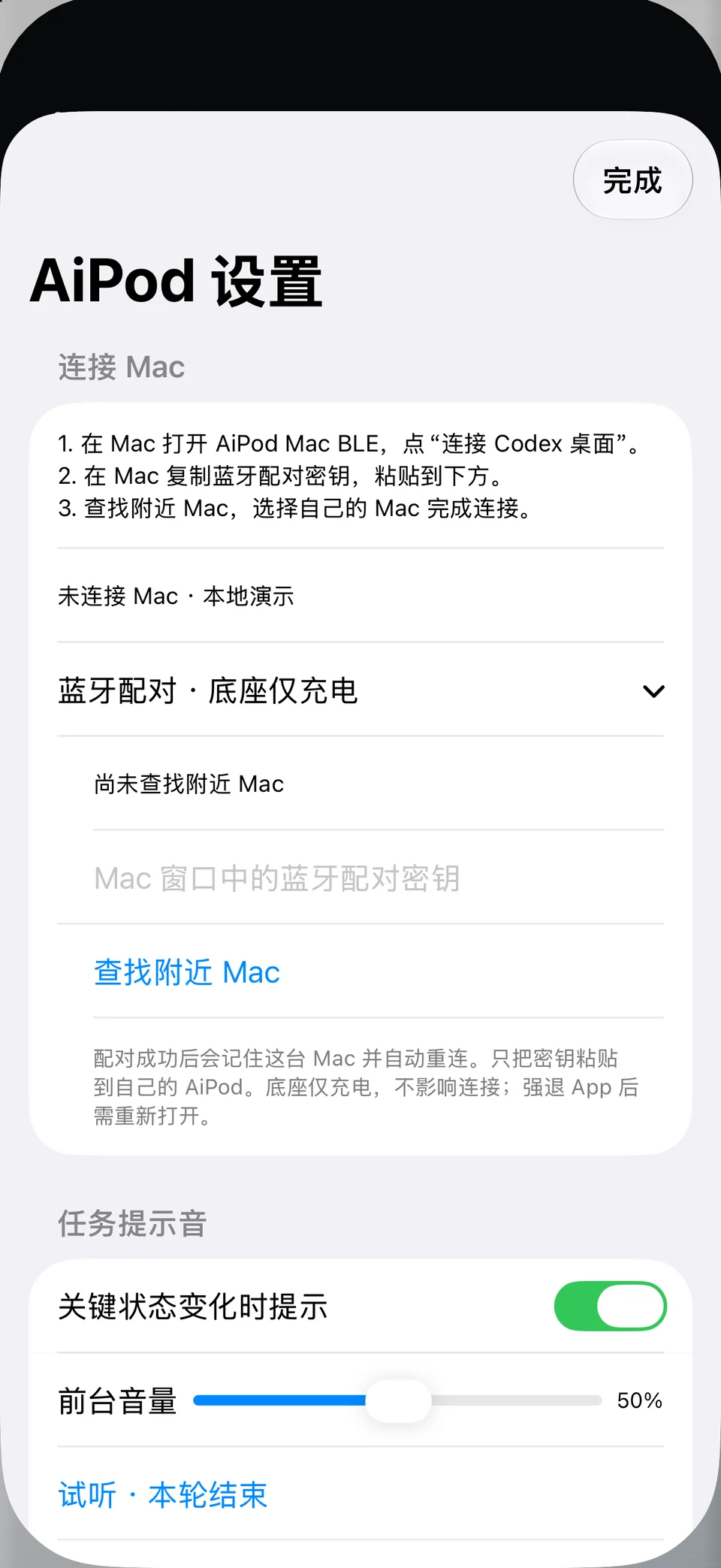
2 · Pair over Bluetooth
Copy the pairing key from the Mac helper. Paste it in the iPhone connection settings, choose 查找附近 Mac and select your Mac. Allow Bluetooth access for this function. Keep the key private. Confirm receipt of a fresh task snapshot and a current update time, not merely a Bluetooth connection.
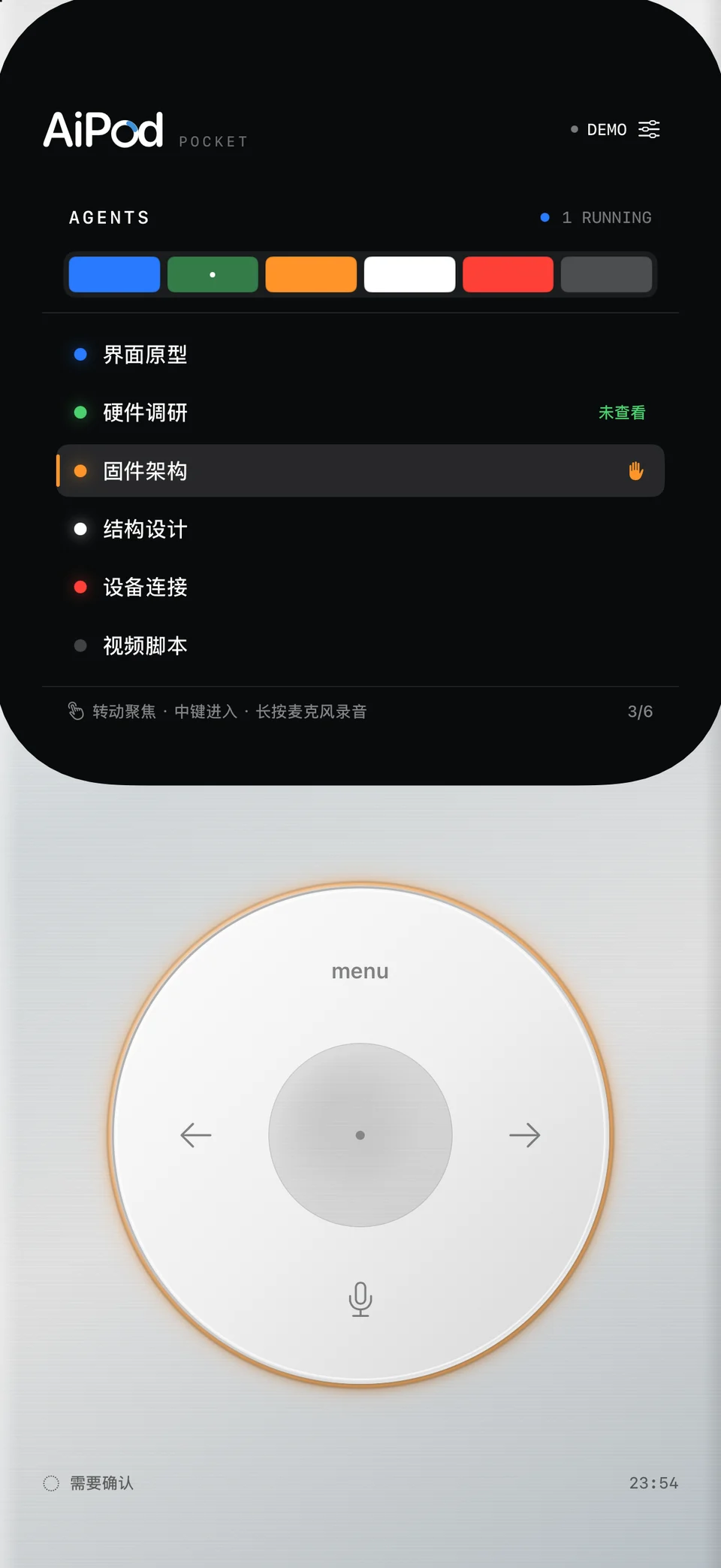
3 · Read tasks
Turn the on-screen wheel to select a task, press the center to enter, and use menu to return. In live desktop task details, left/right changes pages and the center opens the current page. Turn the wheel to read full text. The local demo and live-task flows have different prompts; follow those shown on screen.
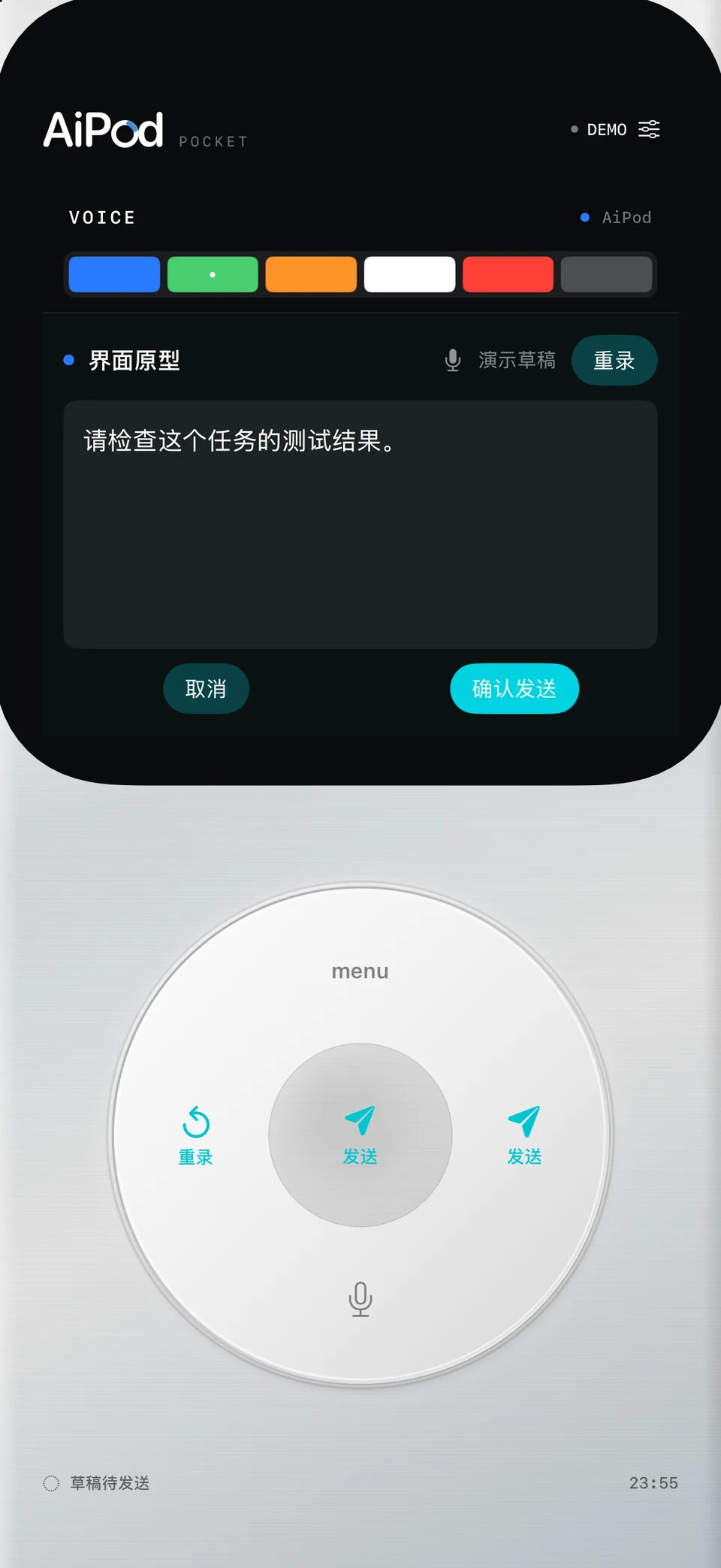
4 · Voice and text drafts
Hold the lower microphone area for about half a second and release to finish. Microphone and speech-recognition permissions are needed. Mandarin recognition is forced on-device; if unavailable, use the keyboard. There is no automatic cloud fallback. Review or edit the draft, add speech or record again. Recordings are limited to 60 seconds; audio is not saved to a file or sent to the Mac.
5 · Messages and requests
Available actions depend on the Mac mode and current task capabilities. Check the target, text and action before using an explicit send/confirm control. Some recording gestures prepare sending: follow the displayed prompt. Stale or disconnected states limit actions. If the result is unknown, check the Mac before retrying. Handle unsupported requests on Mac.
6 · Alerts and display
Configure sound and haptics in settings. Foreground always-on display uses more power; soft dimming only darkens the interface. Live Activities and StandBy require supported system settings. iOS schedules background delivery; check update times. Reopen the app after force-quitting it and do not treat an old snapshot as live.
No Mac found or stale data
Check the helper, desktop compatibility and Bluetooth on both devices. Return the app to the foreground and look for a fresh full snapshot. If a desktop update is unsupported, use an adapted helper rather than changing its checks. Long-running BLE recovery is still under validation; automatic recovery is not guaranteed.
Change Macs or clear data
忘记蓝牙配对 removes the saved phone-side pairing; revoke the Mac key separately. HTTPS pairing has its own removal control. 重置本轮记录 resets interaction statistics/events, not all drafts and credentials. Treat each device separately and resolve pending command results before deleting relevant records.
Support and independence
Email shucan@canxinghe.com with OS, app, helper and desktop versions plus the time and steps of the issue. Do not send pairing keys, private task text, paths or credentials. AiPod is an independent CanTechStudio tool, not an official OpenAI or Apple product.
Privacy policy
In Pro 0.14.4 (74), open 隐私政策 / Privacy at the top of connection settings. It works before pairing, is available offline, and supports Chinese and English. The website policy is also linked below.